
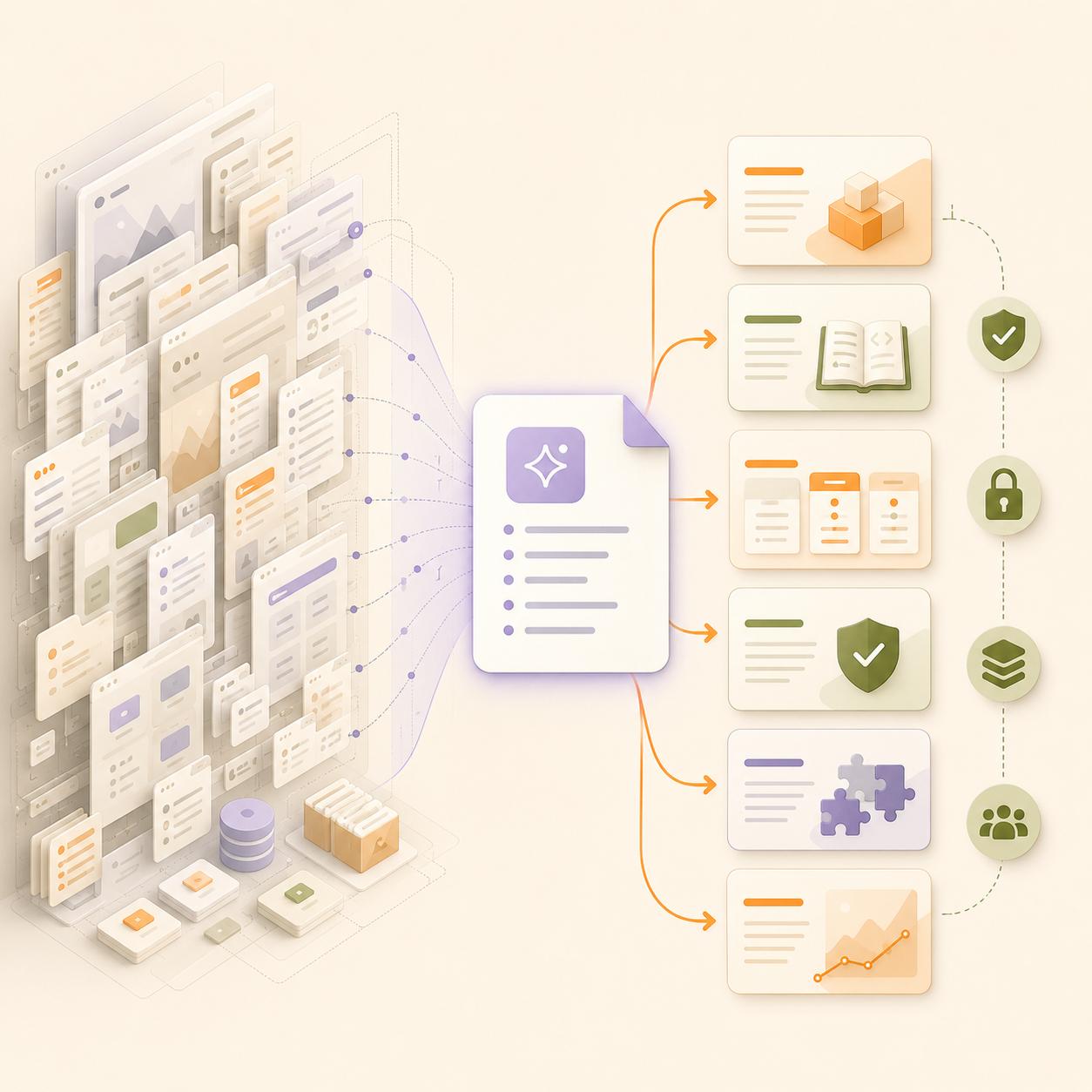
llms.txt is easily one of the most debated technical SEO topics, especially after May 2026.
Google Search told everyone your website doesn't need it to appear in generative AI search. But Chrome Lighthouse rolled out agentic browsing checks that look for llms.txt at the root of a website.
So, should you implement it or ignore it? Our honest answer: it depends.
llms.txt is not a direct requirement for SEO rankings. It doesn't replace robots.txt, sitemap.xml, schema, internal linking, or clean HTML.
But for B2B SaaS companies, API-first products, developer tools, and documentation-heavy websites, we've found it can still earn its place. It gives AI agents a cleaner map of the most important pages on a site.
That makes it less of a “ranking hack” and more of an AI-readiness file. This is how you need to think about llms.txt:
The best way to understand llms.txt is that it is not an SEO shortcut but a structured guide for AI agents.
What llms.txt actually does
llms.txt is a Markdown file placed at the root of a website, usually at yourdomain.com/llms.txt.
Its job is to give AI agents a clean, curated list of important pages. Instead of forcing an agent to crawl menus, sidebars, footers, scripts, and messy HTML, the file points to the pages that explain the site best.
A good llms.txt file may include:
- Product pages.
- Solution pages.
- API documentation.
- Integration guides.
- Pricing pages.
- Security and compliance pages.
- Help documentation.
- Research reports.
- Case studies.
- Policy pages.
The file should not include every URL. This is crucial because including everything would make it another sitemap. The goal is to select the highest-signal pages and describe them clearly.
For example, a B2B SaaS company might use llms.txt to help AI agents quickly find its core product pages, API documentation, integration guides, pricing details, and customer proof. A developer tool may use it to point agents toward setup guides, authentication docs, SDK references, and troubleshooting pages.
This matters because AI agents often need faster context. They are not browsing like a human. They are trying to identify the most reliable source paths quickly.
Which websites should consider adding llms.txt?
llms.txt is not equally useful for every website.
A small local service website with five pages may not need it at all. A simple brochure site may get little benefit. But a B2B website with many layers of product, solution, documentation, and resource pages has a stronger case. Websites that should consider it include:
For these sites, llms.txt can act like a curated front door for AI agents. It tells them which pages matter most and what each page contains. Websites that can deprioritise it include:
- Small websites with only a few static pages.
- Local business sites with limited documentation.
- Thin blogs without strong resource depth.
- Sites that have not fixed basic crawl, indexation, or content quality issues.
This last point is important. llms.txt should not come before the basics. If a site has broken internal links, weak content, blocked pages, poor HTML structure, or unstable indexing, llms.txt will not fix the real issue.
How robots.txt and llms.txt serve different purposes
Let’s make it clear that robots.txt and llms.txt have different jobs. robots.txt tells crawlers what they can and cannot access. llms.txt tells AI agents where the most useful information is located.
In fact, robots.txt, sitemap.xml, llms.txt, and schema markup all have different jobs. robots.txt keeps crawl access intentional. sitemap.xml helps search engines find important URLs. A schema helps machines interpret page's meaning. llms.txt can provide a curated map for AI agents.
Here’s a quick summary:
And don’t make the mistake of treating these files in isolation. They work together.
If important pages are blocked, AI agents cannot use them. If pages are accessible but messy, agents may struggle to extract the right information. If pages are well-structured but buried, they may not be found easily.
The goal is not to add more files for the sake of it, but to make your site easier for both search engines and AI systems to read.
How to use robots.txt for AI crawler access
Some bots help AI search and answer systems discover, cite, or recommend your content. Others may crawl content mainly for model training, with no direct traffic or citation benefit. Some unknown bots may create server load without a clear value.
That means teams need a bot access policy. At a basic level, crawlers can be grouped like this:
The reference material recommends a more intentional robots.txt setup, where teams allow search-centric AI crawlers while blocking aggressive scraper bots if needed.
However, this should not be copied blindly. Bot names, policies, and use cases can change. Before allowing or blocking any crawler, teams should check the official documentation for each bot and align the decision with legal, product, and marketing goals.
A good review process should include:
- List which crawlers visit your site.
- Check server logs for request volume and status codes.
- Identify which bots support search or answer visibility.
- Decide which bots should access public content.
- Block low-value or harmful crawlers where appropriate.
- Revisit the policy regularly.
The important part is intention because leaving crawler access unmanaged is risky. Blocking everything can reduce visibility. Allowing everything can expose content to crawlers that do not support business goals.
How to deploy llms.txt correctly?
First of all, the file should be short, clean, and useful. It should not become a dump of every page on the site. It should also avoid marketing-heavy descriptions. AI agents do not need exaggerated claims. They need accurate summaries.
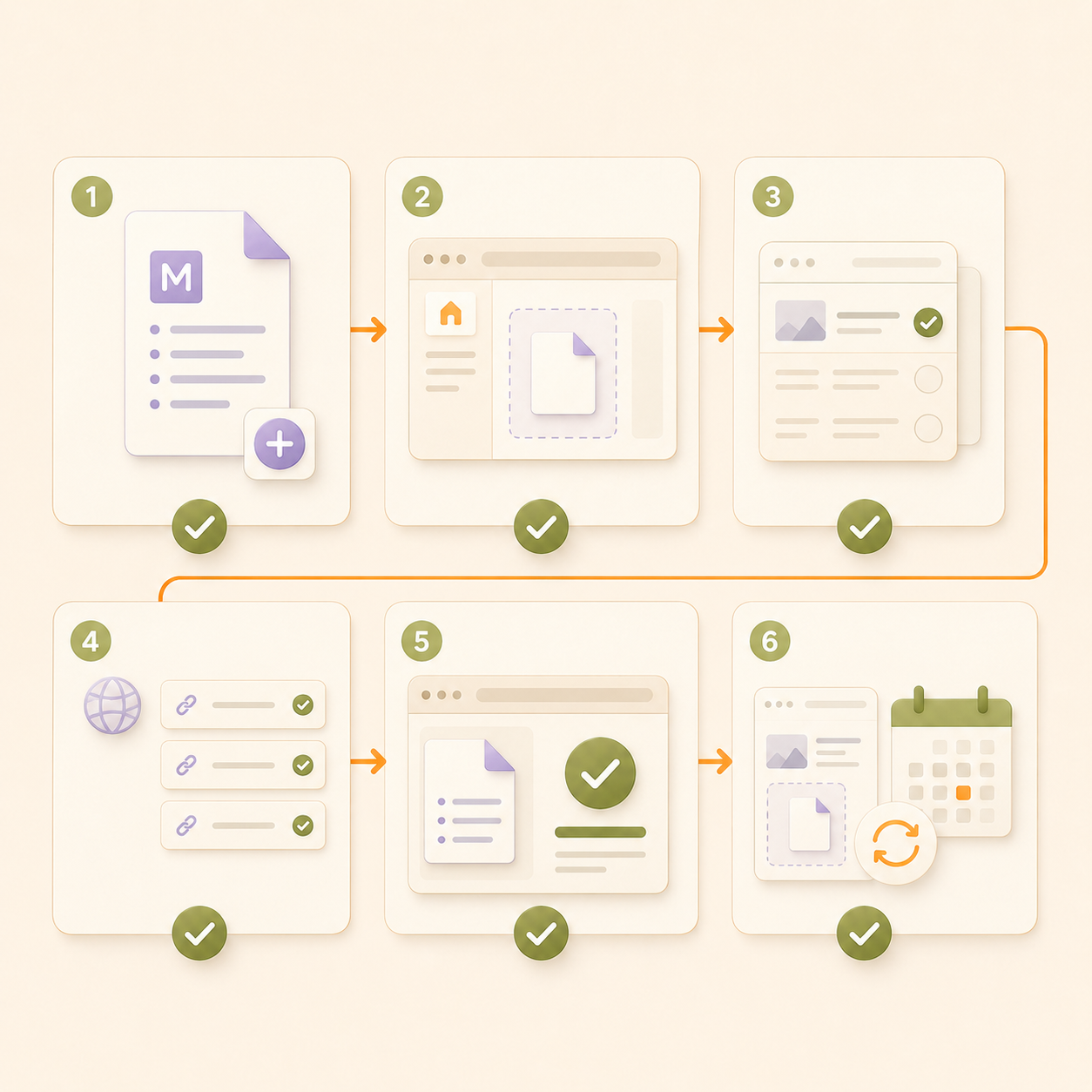
A useful llms.txt setup is short, clean, accurate, and easy to maintain.
A practical deployment process looks like this:
Step 1: Create the llms.txt file
Create a plain Markdown file and name it llms.txt. This keeps the file simple, readable, and easy for AI agents to parse.
Step 2: Add the file to your site root
Upload the file to the root directory of your website. It should be available at: yourdomain.com/llms.txt
This makes it easy for AI agents and browser-based assistants to find the file.
Step 3: Choose only high-signal pages
Do not add every page to your website. Include only the pages that explain your business, product, documentation, pricing, security, use cases, integrations, and customer proof clearly.
Step 4: Use absolute canonical URLs
Add full HTTPS URLs for every page.
For example, use:
https://yourdomain.com/pricing
Do not use:
/pricing
Absolute canonical URLs remove confusion for agents and crawlers.
Step 5: Add short descriptions for each page
Write a short, factual description next to every URL. The description should explain what the page contains and why it matters. Avoid promotional claims. AI agents need clear context, not marketing language.
Step 6: Check that the file returns a 200 OK status
After uploading the file, test whether it loads correctly. A clean 200 OK response confirms that the file is accessible. If the file returns a 404, 403, or server error, AI agents may not be able to use it.
Step 7: Serve the file as plain text with UTF-8
Make sure the file is served as plain text and encoded in UTF-8. This supports clean parsing and reduces formatting issues.
Step 8: Review the file whenever important pages change
llms.txt should not be a one-time setup.Review it whenever you update product pages, pricing, documentation, security pages, or case studies.
A simple llms.txt structure could look like this:
llms.txt should be maintained like any other technical SEO asset. If the pricing page changes, the link should still be accurate. If documentation moves, the path should be updated. If a product is retired, it should be removed.
Frequently Asked Questions
What is llms.txt?
llms.txt is a Markdown file placed at the root of a website. It gives AI agents a curated list of important pages and explains what those pages contain. It can include links to product pages, documentation, pricing, API references, security pages, case studies, and research resources. It should not replace sitemap.xml, robots.txt, schema, or proper site architecture. It is best treated as an optional AI-readiness file.
Is llms.txt required for SEO?
No, llms.txt is not required for SEO or Google rankings. It is also not required for Google AI Overviews. However, llms.txt may still be useful for AI agents, browser-based assistants, documentation discovery, and future agentic browsing workflows. That is why some B2B SaaS and developer-focused companies may still choose to implement it.
Should every website add llms.txt?
No, every website does not need llms.txt. It is more useful for:
Small brochure websites, local service sites, and thin blogs should fix core SEO issues first. llms.txt will not solve poor content, weak internal linking, broken technical setup, or low authority.