
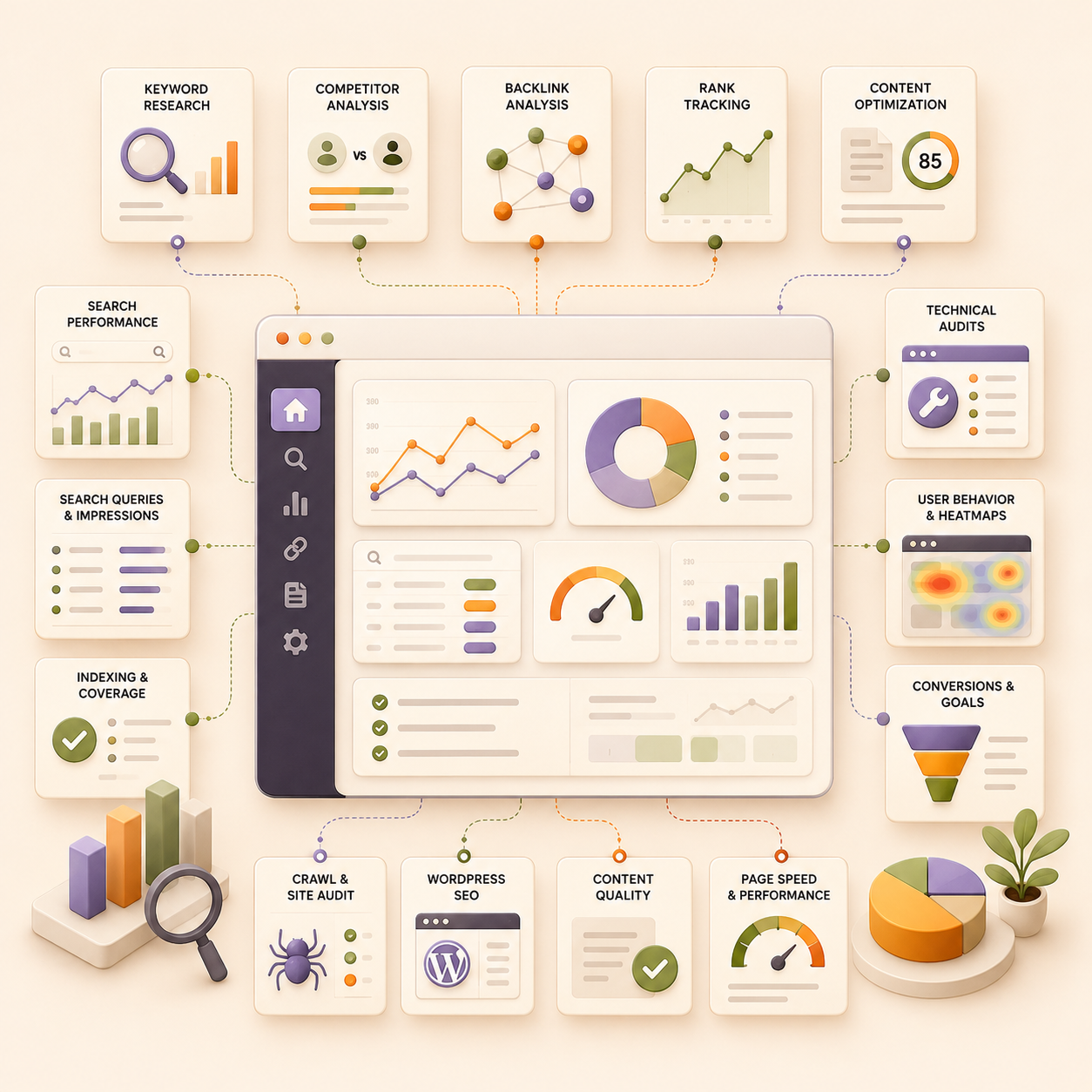
Keyword research is the basic foundation of SEO, but it also includes technical website health, on-page optimization, content quality, backlinks, search performance, user behavior, and conversion tracking. A website can attract traffic but still perform poorly if visitors leave quickly, pages are not indexed properly, or content does not match search intent.
Different tools support different parts of this process. GA4 and Google Search Console help measure traffic and search performance, while Ahrefs, Semrush, and Similarweb support keyword and competitor research. Screaming Frog handles technical audits, Microsoft Clarity and Hotjar show how visitors use a website, Yoast supports WordPress SEO, Surfer SEO helps with content optimization, and SmallSEOTools provides quick checks.
This article covers how each tool works, how you should use it, who it is best suited for, and what it costs.The tools in this list were selected based on how well they support different parts of SEO, including keyword research, technical audits, content optimization, backlink analysis, competitor research, traffic measurement, user behavior, and WordPress SEO. The list includes both free and paid tools so that website owners, individual marketers, agencies, and larger teams can choose tools suited to their budgets and requirements.
We also considered ease of use, quality of data, range of features, pricing accessibility, and how well each tool works with other platforms. The pricing ranges mentioned in this article were checked in August 2026. Software companies frequently change their plans, feature limits, billing terms, and regional prices, so readers should check the official pricing page before purchasing a subscription.
Now, let’s evaluate these tools one by one:-
1. Google Analytics 4 + Google Search Console
Google Analytics 4 and Google Search Console are free tools that are often overlooked simply because they are free. However, both tools combined are by far the most powerful SEO tools. Search Console shows how people find your website through Google, while GA4 covers other channels and behavioral aspects too.
How Should You Use GA4 and Google Search Console?
Use Google Search Console to understand how your website appears in Google Search, and use GA4 to see what visitors do after they land on your pages. Reviewing both together helps you connect rankings and clicks with engagement, leads, and conversions.
- Use Google Search Console to track impressions, clicks, click-through rates, average rankings, and the queries bringing users to your website.
- Submit your sitemap, inspect individual URLs, and check which pages Google can or cannot index.
- Use GA4 to measure organic landing-page traffic, engagement, form submissions, purchases, sign-ups, and other business actions.
- Compare pages with high impressions but low clicks to identify titles and meta descriptions that may need improvement.
- Review pages that receive organic traffic but generate weak engagement or few conversions.
- Connect Google Search Console with GA4 so you can review search and landing-page data in one reporting setup.
Who Should Use GA4 and Google Search Console?
Every business with a website should use both tools. They are suitable for website owners, SEO professionals, content teams, e-commerce businesses, agencies, and companies that want to connect organic search traffic with business results.
Pricing
Google Analytics 4 and Google Search Console are free. Google also provides enterprise analytics products for larger organizations with more advanced data and reporting requirements.
2. Ahrefs
Ahrefs is an SEO platform commonly used for backlink analysis, keyword research, competitor research, rank tracking, and technical audits. It is particularly useful when you want to understand why competing websites rank and where your own website is falling behind.
How Should You Use Ahrefs?
Start by adding your website as a project and reviewing its organic keywords, backlinks, top-performing pages, and technical health. You can then use Ahrefs to:
- Use Site Explorer to review the keywords, pages, backlinks, and estimated organic traffic of competing websites.
- Use Keywords Explorer to find keyword ideas, study search intent, review ranking difficulty, and examine current search results.
- Compare your website with competitors to find keywords and backlinks they have gained but you have not.
- Use Site Audit to identify broken links, missing tags, duplicate pages, crawl problems, and other technical SEO issues.
- Add priority keywords to Rank Tracker to monitor their positions across devices and locations.
- Use Content Explorer to find popular articles, backlink opportunities, and websites that may be suitable for outreach.
- Review lost backlinks and declining pages so you can recover links or update content before performance drops further.
Ahrefs should be used alongside GA4 and Google Search Console. Ahrefs provides competitor and estimated search data, while Google’s tools show the actual traffic and search performance of your website.
Who Should Use Ahrefs?
Ahrefs is best suited to SEO professionals, agencies, content teams, affiliate marketers, link builders, and businesses that regularly research competitors. Smaller website owners can also use its free plan to audit verified websites and review limited keyword and backlink data.
Pricing
Ahrefs provides limited free access for verified websites. Paid plans generally range from around $29 to $1,500 per month, depending on the tools, usage limits, number of projects, and business size. Enterprise requirements may cost more, and prices can change over time.
3. Semrush
Semrush is an SEO and digital marketing platform used for keyword research, competitor research, technical audits, backlink analysis, content planning, and rank tracking. Compared with tools focused on a single part of SEO, Semrush brings several research and reporting functions into one platform.
How Should You Use Semrush?
Start by creating a project for your website and connecting Google Analytics and Google Search Console. You can then use Semrush for the following tasks:
- Use Keyword Magic Tool to find keyword ideas and filter them by search intent, volume, difficulty, and question-based searches.
- Compare your domain with competing websites through Keyword Gap to find terms they rank for but your website does not.
- Use Organic Research to review the keywords, pages, ranking changes, and estimated traffic of competing websites.
- Run Site Audit regularly to find crawl errors, broken links, duplicate content, missing tags, slow pages, and other technical problems.
- Add priority keywords to Position Tracking to monitor rankings across locations and devices.
- Review Backlink Analytics and Backlink Gap to compare referring domains and find possible link-building targets.
- Use the On Page SEO Checker to find pages that may benefit from content, internal-linking, or technical changes.
- Create scheduled reports for clients or internal teams instead of exporting data from every tool separately.
Semrush data should be used with GA4 and Google Search Console. Semrush is useful for research, competitor comparisons, and estimated data, while Google’s tools provide the actual search and visitor data for your website.
Who Should Use Semrush?
Semrush is suitable for SEO professionals, agencies, content teams, paid marketing teams, and businesses that want several marketing tools under one account. It is especially useful for agencies managing multiple websites because projects, keyword tracking, audits, and reports can be organized within the same platform.
Pricing
Semrush provides a limited free account and paid SEO Classic plans. The Pro plan costs $139 per month, the Guru plan costs $249 per month, and the Business plan costs $499 per month. Annual billing reduces the effective monthly cost to approximately $117.33, $208.33, and $416.66, respectively.
4. Microsoft Clarity
Microsoft Clarity is a free behavior analytics tool that shows how visitors interact with your website. While GA4 measures traffic, engagement, and conversions, Clarity uses heatmaps and session recordings to show what visitors click, how far they scroll, and where they face problems.
How Should You Use Microsoft Clarity?
Use Clarity alongside GA4 and Google Search Console to investigate why a page with good traffic is not producing the expected engagement or conversions.
- Review click and scroll heatmaps to see which page elements receive attention and which sections visitors ignore.
- Watch session recordings to understand how visitors move between pages, interact with forms, and respond to calls to action.
- Look for rage clicks, dead clicks, quick backs, and excessive scrolling that may indicate confusing page elements or missing information.
- Filter recordings by page, traffic source, device, browser, country, and visitor behavior to study specific audience groups.
- Compare desktop and mobile sessions to identify layout or usability problems that only affect certain devices.
- Review high-traffic landing pages to check whether visitors reach the sections that contain your main message or CTA.
Clarity automatically creates click and scroll heatmaps across desktop, mobile, and tablet visits. Session recordings are generally stored for 30 days, while favourited recordings can remain available for up to nine months.
Who Should Use Microsoft Clarity?
Microsoft Clarity is suitable for SEO professionals, content teams, website owners, e-commerce businesses, SaaS companies, and conversion teams. It is especially useful for smaller businesses that need heatmaps and recordings without paying for another tool.
Pricing
Microsoft Clarity is free and does not place traffic limits behind a paid plan.
5. Hotjar
Hotjar is a website behavior and feedback tool that helps you understand how visitors interact with individual pages. It combines heatmaps, session recordings, surveys, and user feedback so you can see where visitors click, how far they scroll, and what may prevent them from completing an action. Hotjar is now part of Contentsquare, although its main behavior-analysis features remain available.
How Should You Use Hotjar?
Use Hotjar alongside GA4 to understand the reasons behind traffic and conversion data. GA4 may show that visitors are leaving a page, while Hotjar can help you see what they did before leaving.
- Review heatmaps to see which buttons, links, images, and page sections receive the most attention.
- Watch session recordings to study how visitors navigate pages, complete forms, and respond to calls to action.
- Use surveys to ask visitors why they did not purchase, register, request a demo, or complete another action.
- Check scroll behavior to see whether visitors reach important product information, pricing, FAQs, or CTA sections.
- Compare behavior across mobile and desktop devices to find layout and usability problems.
- Review recordings from pages with high traffic but low conversions before changing their copy or design.
- Connect Hotjar with tools such as Google Analytics and HubSpot to review behavior alongside marketing data.
Who Should Use Hotjar?
Hotjar is suitable for SEO teams, content marketers, e-commerce businesses, SaaS companies, UX teams, and conversion teams. It is particularly useful for businesses that need visitor feedback in addition to heatmaps and recordings.
Pricing
Hotjar provides a free starting option. Paid access generally ranges from around $30 to $200 or more per month, depending on the number of daily sessions, data limits, and selected features. New customers may now be directed to Contentsquare plans, so the final price can vary and should be checked before subscribing.
6. Screaming Frog SEO Spider
Screaming Frog SEO Spider is a desktop-based website crawler used for technical SEO audits. It scans website pages in a similar way to a search engine crawler and organizes technical, on-page, and linking issues into reports. It is especially useful when auditing large websites where checking every page manually would be impractical.
How Should You Use Screaming Frog?
Start by entering your website URL and running a complete crawl. Once the crawl is complete, review the reports based on the issue you are trying to find.
- Use the response code reports to find broken links, server errors, redirect chains, and redirect loops.
- Review page titles, meta descriptions, headings, and canonical tags across all crawled pages.
- Find duplicate and near-duplicate pages that may compete with each other or create indexing problems.
- Check robots directives, canonical URLs, and indexability settings to identify pages that search engines may be unable to index.
- Review internal links and crawl depth to find important pages that are buried too deeply within the website.
- Audit image sizes, missing alt text, structured data, hreflang tags, and JavaScript-rendered pages.
- Connect GA4, Google Search Console, and PageSpeed Insights to combine crawl data with traffic and performance information.
- Compare crawls over time to identify technical changes, newly broken pages, and issues introduced during a website update.
Screaming Frog identifies more than 300 SEO issues and allows users to export page titles, descriptions, headings, links, and other on-page information for further analysis.
Who Should Use Screaming Frog?
Screaming Frog is best suited to technical SEO professionals, agencies, developers, and website teams managing medium or large websites. The free version is also useful for small website owners who need to run occasional crawls.
Pricing
The free version allows you to crawl up to 500 URLs. The paid licence generally costs around £200 to £250, or approximately $280 per user per year, depending on currency rates and taxes. It removes the 500-URL crawl limit and adds advanced features such as JavaScript rendering, scheduled crawls, integrations, crawl comparisons, and custom extraction. Pricing may change over time.
7. Similarweb
Similarweb is a digital research platform used to compare website traffic, audience engagement, search performance, and acquisition channels across competing domains. Unlike GA4, which reports data from your own website, Similarweb provides estimated data for websites you do not own.
How Should You Use Similarweb?
Use Similarweb when you want to study competitors, compare your website with the wider market, or identify traffic channels that may be worth testing.
- Compare estimated monthly visits, visit duration, pages per visit, bounce rate, and traffic changes across competing websites.
- Review how much traffic competitors receive from organic search, paid search, referrals, social media, display advertising, and direct visits.
- Compare website traffic by country and device to understand where a competitor’s audience is located.
- Review organic and paid search terms that may be bringing traffic to competing websites.
- Find referral websites sending traffic to your competitors but not to your own website.
- Compare several competing domains to identify which brands are gaining or losing traffic over time.
- Review competitor pages and website sections to find content categories attracting the most visits.
- Use its audience data to study visitor interests, audience overlap, and other websites used by similar users.
Similarweb numbers should be treated as estimates rather than exact traffic figures. Use them to compare patterns and relative performance across competing websites, while continuing to use GA4 for directly measured data from your own website. Similarweb itself notes that its figures may differ from direct measurement tools because the platforms use different data sources and calculation methods.
Who Should Use Similarweb?
Similarweb is suitable for SEO teams, marketing agencies, founders, market researchers, and businesses entering a new industry or location. It is especially useful when competitor traffic sources and audience data are more important than backlink or technical SEO data alone.
Pricing
Similarweb provides limited website data for free. Its self-service Web Intelligence plans generally range from around $125 to $650 per month, depending on the features included and whether billing is monthly or annual. Business and enterprise packages use custom pricing based on data access, users, countries, historical data, and integrations. Prices may change over time.
8. SmallSEOTools
SmallSEOTools is a collection of browser-based utilities for checking content, domains, backlinks, images, and other SEO-related elements. Unlike Ahrefs or Semrush, it is not designed as one connected SEO platform. It is more useful when you need to complete a quick, individual check without purchasing a large subscription.
How Should You Use SmallSEOTools?
You can use the platform for occasional checks during content creation, website audits, and competitor research. However, its automated scores and results should be manually reviewed before you make major SEO or publishing decisions.
- Use the plagiarism checker to identify text that may closely match content already published online.
- Use the domain authority and spam score tools to run an initial check on your website or a possible backlink source.
- Use the backlink checker to review links pointing to a domain before conducting more detailed research in another SEO platform.
- Use the grammar checker, word counter, paraphrasing tool, and AI detector when reviewing content drafts.
- Use its image compression, reverse image search, and image-to-text tools when preparing or checking website media.
- Use its keyword, metadata, and website analysis tools for quick checks rather than relying on them for a full technical audit.
Who Should Use SmallSEOTools?
SmallSEOTools is suitable for bloggers, freelance writers, students, small website owners, and marketers who need individual tools occasionally. Agencies and larger SEO teams may also use it for quick checks, but they will usually need another platform for ongoing keyword tracking, technical audits, and competitor monitoring.
Pricing
Many SmallSEOTools utilities can be used for free with limits. Paid plans generally range from around $5 to $150 per month, depending on the selected tool, usage allowance, and subscription type. Custom enterprise plans are also available, and prices may change over time.
9. Yoast SEO
Yoast SEO is a WordPress plugin that helps website owners manage on-page and technical SEO settings without editing code. It provides real-time SEO and readability checks while also handling XML sitemaps, schema markup, canonical URLs, and indexing controls.
How Should You Use Yoast SEO?
Use Yoast as a publishing checklist while creating and updating WordPress pages. Its recommendations can point out common problems, but receiving a green score does not guarantee that a page will rank.
- Write custom SEO titles and meta descriptions for important pages instead of relying on automatically generated text.
- Set a focus keyphrase and review whether it appears naturally in the title, URL, description, headings, and main copy.
- Use the readability analysis to check sentence length, paragraph structure, subheadings, and transitions.
- Review canonical URLs and indexing settings before publishing or updating a page.
- Use its automatically generated XML sitemap to help search engines find indexable pages.
- Check the schema settings so pages are correctly identified as articles, products, organizations, people, or other content types.
- Use internal-link suggestions in the Premium version to connect related pages and reduce orphaned content.
- Set redirects when deleting pages or changing URLs so visitors and search engines reach the correct destination.
Who Should Use Yoast SEO?
Yoast SEO is best suited to bloggers, small businesses, content teams, e-commerce stores, and agencies managing WordPress websites. It is particularly useful for teams that want consistent publishing checks and control over SEO settings without depending on a developer for every change.
Pricing
Yoast SEO provides a free WordPress plugin with its main SEO analysis, readability, sitemap, schema, and indexing features. Paid products generally range from around $120 to $360 per year, depending on whether you choose Yoast SEO Premium, WooCommerce SEO, or its wider AI package. The final price may also depend on the number of websites and applicable taxes, and prices can change over time.
10. Surfer SEO

Surfer SEO is a content planning and optimization platform that compares your content with pages ranking for a target search query. It provides recommendations for article structure, related terms, topic coverage, headings, and content length. It also includes content auditing, keyword research, topical planning, rank-drop alerts, and AI visibility tracking.
How Should You Use Surfer SEO?
Use Surfer SEO while preparing new articles and updating pages that have lost traffic or rankings. Its recommendations should guide your research and editing rather than replace original information and editorial judgment.
- Use Content Editor to review suggested terms, headings, content length, and topic coverage while writing an article.
- Compare the recommendations with the actual search results before deciding which terms and sections belong in your content.
- Import an existing page into Content Editor when you need to update or expand published content.
- Connect Google Search Console with Content Audit to find pages that have declining rankings or clear optimization opportunities.
- Use Topical Map and keyword research tools to plan related articles around a broader subject.
- Review cannibalization reports to find pages competing for similar keywords.
- Use rank-drop alerts to identify pages that may need updates before traffic declines further.
- Use the Google Docs and WordPress integrations to fit Surfer into your existing writing and publishing process.
Avoid adding every suggested keyword simply to raise the Content Score. A high score does not automatically make an article accurate, original, helpful, or suitable for its intended reader.
Who Should Use Surfer SEO?
Surfer SEO is suitable for SEO writers, editors, content teams, agencies, and businesses that publish or update search-focused content regularly. The lower plan is aimed at individual creators, while the higher plans provide additional workspaces, collaboration tools, AI tracking, and API access for larger teams.
Pricing
Surfer SEO plans generally range from around $50 to $300 per month when billed annually. The final price depends on the number of documents, tracked pages, team members, brand workspaces, and AI visibility features required. Custom enterprise pricing is also available, and new accounts can access a seven-day trial. Prices and plan limits may change over time.
Frequently Asked Questions
Which SEO tool is best for beginners?
Google Analytics 4 and Google Search Console are the best starting point because they are free and provide data from your own website. You can add tools such as Microsoft Clarity, Screaming Frog, or Yoast SEO as your requirements grow.
Are GA4 and Google Search Console enough for SEO?
They are enough for measuring traffic, search queries, indexing, engagement, and conversions. However, you may still need a paid tool for competitor research, backlink analysis, keyword discovery, or large technical audits.
Should I choose Ahrefs or Semrush?
Choose Ahrefs when backlink analysis and competitor SEO research are your main priorities. Semrush may suit you better when you want SEO, content, advertising, reporting, and other marketing functions within one platform.
What is the difference between Microsoft Clarity and Hotjar?
Both tools provide heatmaps and session recordings. Microsoft Clarity is free and works well for basic behaviour analysis. Hotjar also includes surveys and direct visitor feedback, making it more suitable for research and conversion-focused teams.
Is the free version of Screaming Frog enough?
The free version is usually enough for websites with fewer than 500 URLs and occasional technical checks. Larger websites and agencies may need the paid version for unlimited crawling, integrations, scheduled audits, and crawl comparisons.
Can Similarweb traffic numbers be trusted?
Similarweb provides estimated traffic data rather than exact website figures. It is useful for comparing competitors and identifying traffic patterns, but GA4 should remain the main source for measuring your own website.
Do I need Surfer SEO if I already use Yoast SEO?
The tools serve different purposes. Yoast SEO manages WordPress settings and provides basic on-page checks, while Surfer SEO focuses on content planning, topic coverage, and comparisons with ranking pages.
Are free SEO tools accurate?
Free tools can provide useful data, but their limits vary. Google Search Console, GA4, and Microsoft Clarity provide first-party data, while free third-party tools may use estimates or offer only a small portion of their full datasets.